
A3 color multifunction printer for Division I. (commissioning: 27.10.2026)
Specifications
- Print speed A4: 26 pages per minute
- Print speed A3: 15 pages per minute
- Resolution: 4800x2400 dpi
- 5GB memory
- UFRII, PCL5e/6, PS 3, direct print PDF
- network scanner
Installation instructions - Windows 11
It is recommended to download the drivers from the Canon website.The current version as of October 29, 2026, is also available here on the website: UFRII_Driver_V3015_32_64_CZ_11.zip. Alternatively, you can look for the latest version on the Canon website. The UFR II version is recommended.Canon web.
-
Open the
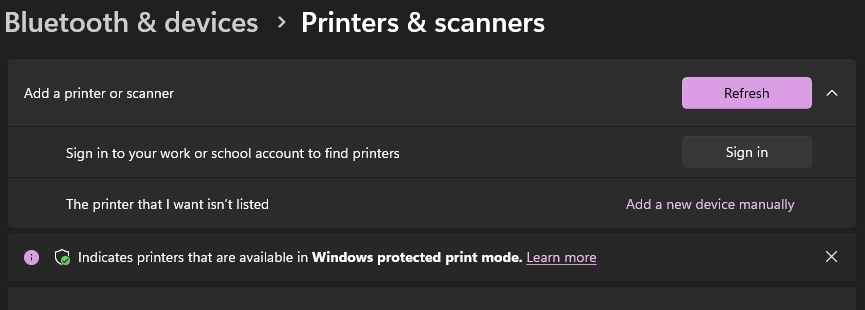
Startmenu and go toPrinters & Scanners. -
Click
Add devicenext toAdd a printer or scanner. -
Windows will attempt to find all available printers on the network. After a few seconds, a link labeled
Add a new device manuallywill appear next toThe printer that I want isn't listed; click it. image -
In the next menu, select
Add a local printer or network printer with manual settings. ClickNext. -
Select
Create a new port:, and in theType of port:field, chooseStandard TCP/IP Port. ClickNext. -
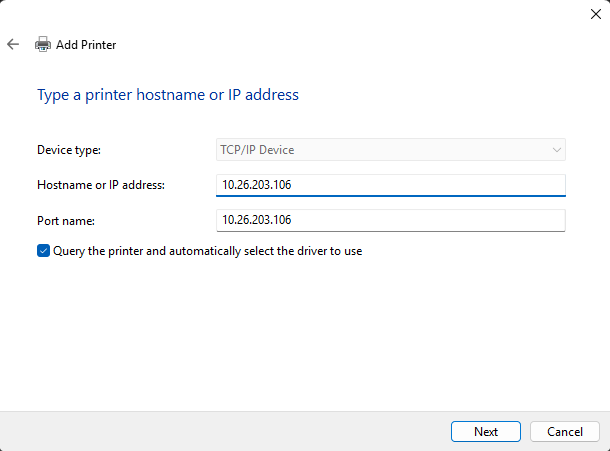
Enter
10.26.203.106into theHostname or IP address:field. ClickNext. image -
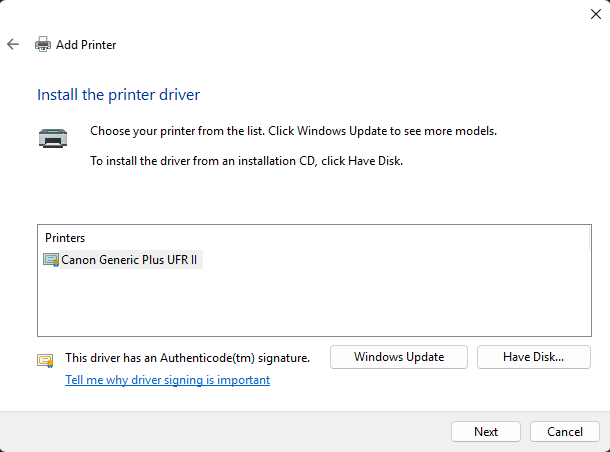
Windows will display a window for selecting a driver. Click
Have disk...and navigate to the directory where you extracted the files. Go to thex64/Driverfolder, select the INF file shown, and clickOpen, thenOK. A list of drivers will appear, containing a single item:Canon Generic Plus UFR IIimage -
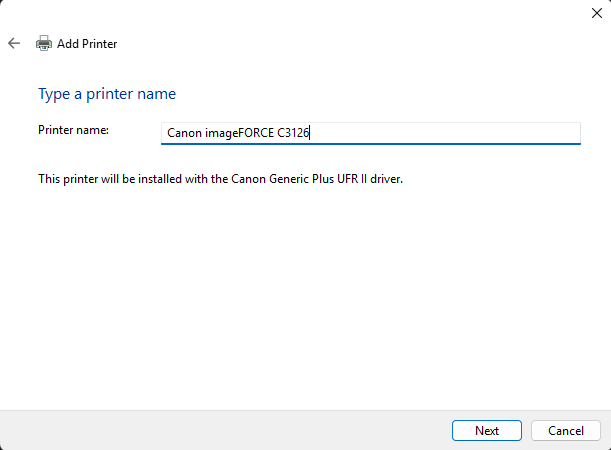
In the
Printer name:field, you can edit the name of the printer as it should appear in the system—for example,Canon imageFORCE C3126. ClickNext. image -
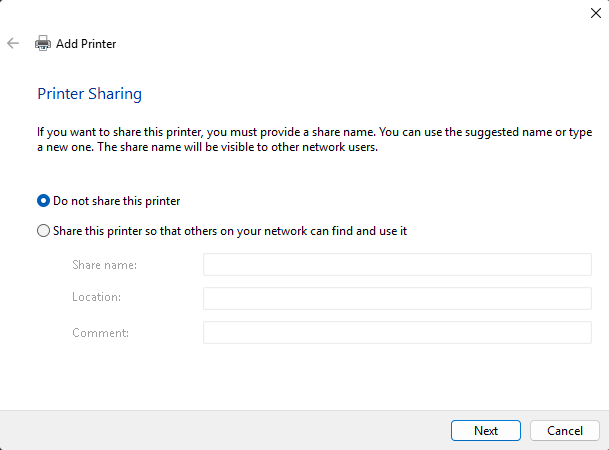
If you are prompted to share the printer, select the option
Do not share this printer. ClickNext. image -
On the final page, you have the option to print a test page. Click
Finish.
Installation instructions - Linux (Generic)
- Driver for the printer is available on the Canon website.
-
In the system, add the printer according to your distribution. IP address of the printer is
10.26.203.106
Scanner
Scan from the device
There are 2 options for local scanning:Skenovat a odeslat (Scan and send) a Skenovat a uložit (Scan and Save).
Scan and Send
-
Sending is possible only on email within the
fzu.czdomain. The email will arrive from scan@fzu.cz with an attachment. - Select the option
Skenovat a odeslaton the device screen. If your address is in the address book, selectAdresářand select your address, otherwise selectNové místo určení, clickE-mailand enter your full email address. - In the right menu, you can customize the scanning properties, color, dimensions, output file format (JPEG, TIFF, PDF, XPS, OOXML). OCR (Czech) is also available for PDF, XPS, and OOXML.
-
Scanning will be started by pressing green button, the
Spustit odesláníbutton appears, which commplete the scan and send the resulting file.